Start for free

AI Agents That Turn Customer Conversations Into Business Outcomes

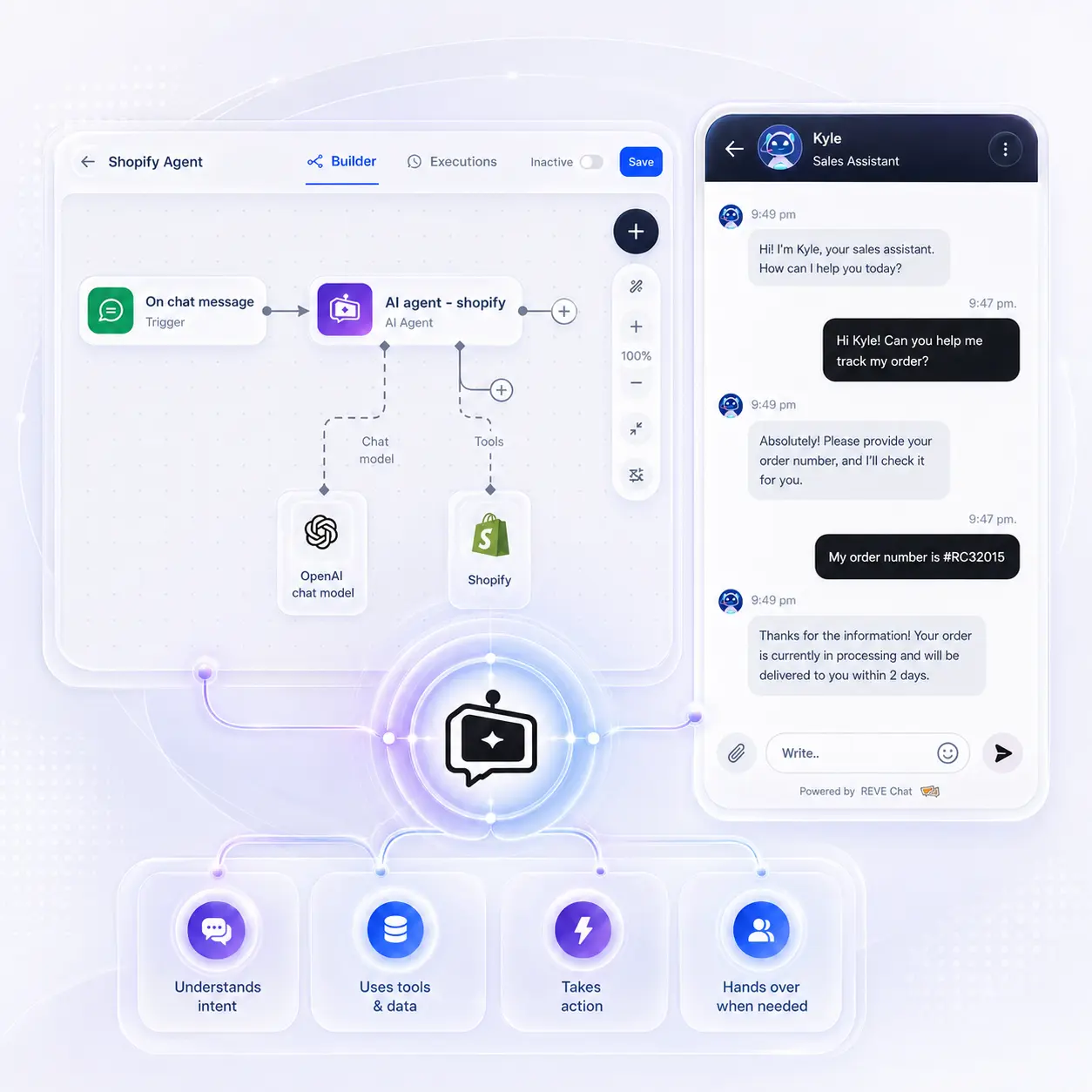
Go beyond basic chatbot replies with REVE Chat AI Agents that understand customer intent, decide the next best action, connect with your business systems, and help customers complete tasks across sales, support, commerce, and operations. 

Get your personalized product demo today!

Review Image

AI Agents built for intelligent customer engagement

Build intelligent customer journeys that can answer questions, qualify leads, recommend products, create requests, retrieve information, and hand over to human agents when needed

Context & Decisioning

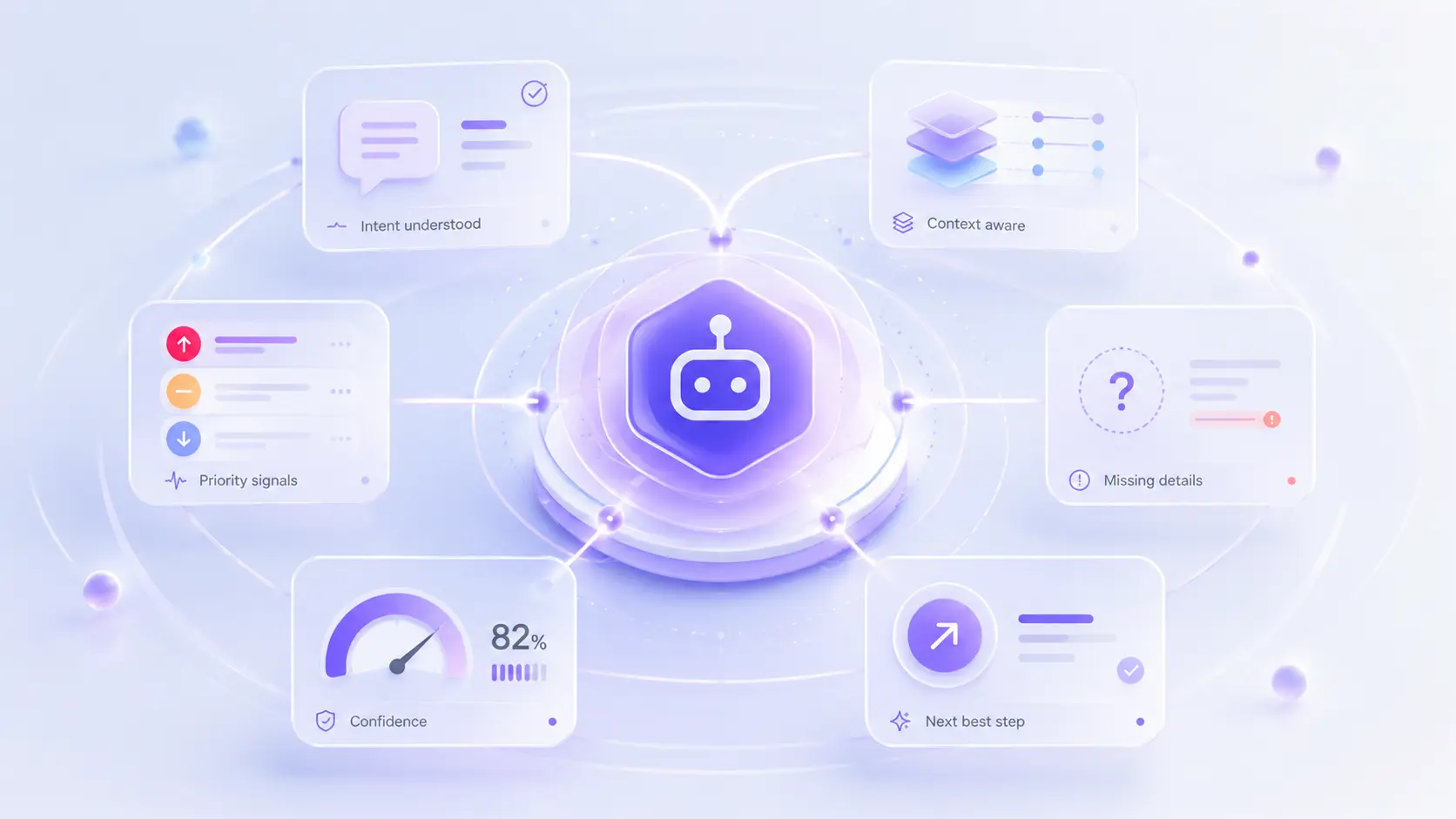
Understand every customer conversation with context

Intent classification

Identify whether the customer wants support help, sales assistance, product information and more.

Context awareness

Remember what the customer has already said within the conversation

Next-step guidance

Decide whether to answer, ask, recommend, route, trigger a workflow, or hand over in real-time

Information gap detection

Know what details are missing before completing the next step

Urgency recognition

Detect and flag conversations that need faster attention, such as complaints or high-value requests for human intervention

Confidence handling

Clarify or escalate when the right response or action is not clear

Workflow Automation

Keep customer journeys moving with automated workflows

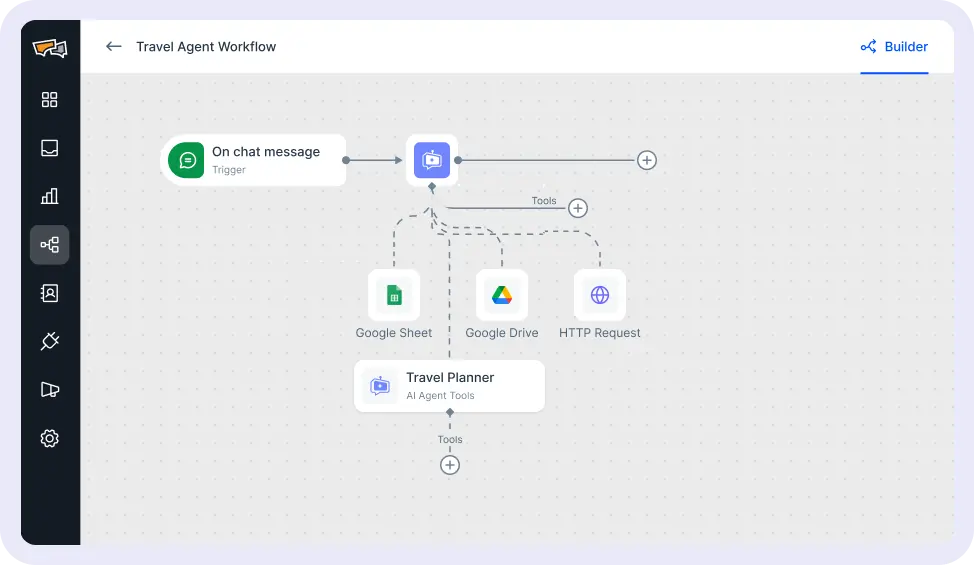
Workflow triggers

Start a flow when a customer sends a message, a webhook request is received, or another workflow calls it

AI Agent nodes

Add AI-powered steps that understand the request, respond, collect details, or decide the next path

Condition-based paths

Use rules and customer inputs to send people through the right branch of the journey

Tool actions

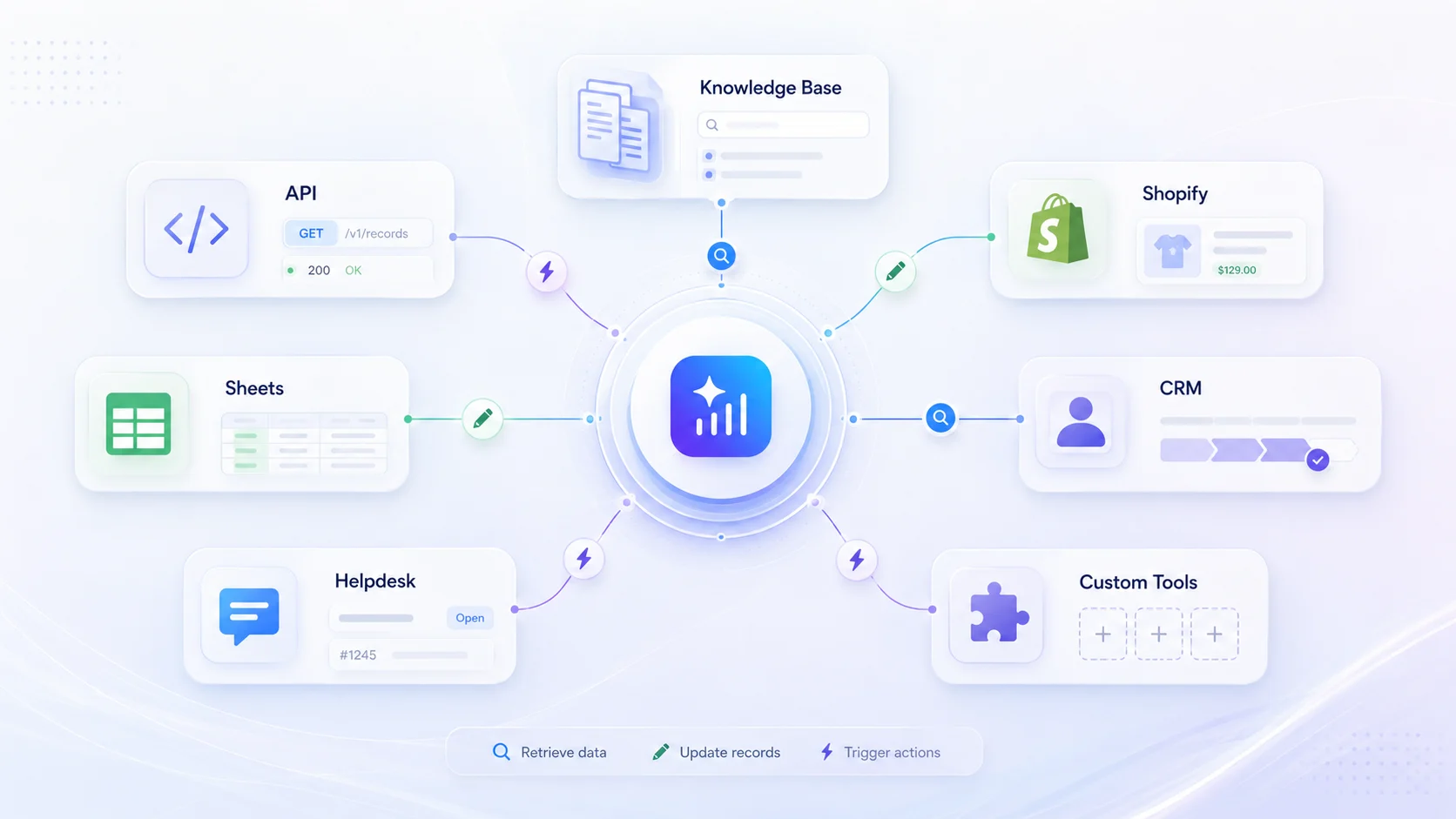
Connect workflow steps with knowledge base, API, Shopify, Google Sheets, or other available tools

Sub-workflows

Reuse smaller flows inside larger journeys to keep complex automation easier to manage

Handover Flow

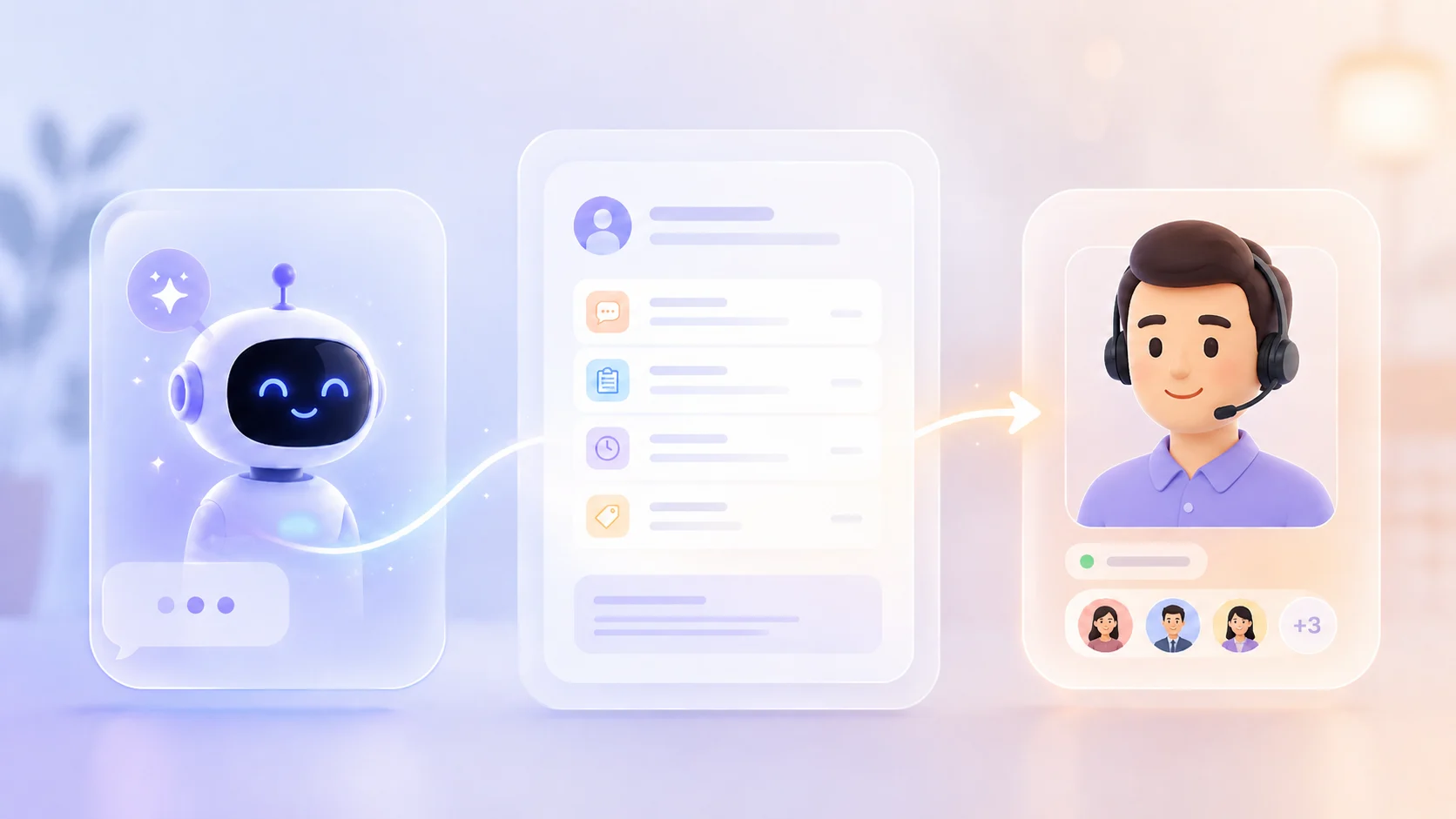
Transfer the journey to a live agent when the flow needs human support or review

AI Agent Configuration

Create purpose-built agents for different business goals

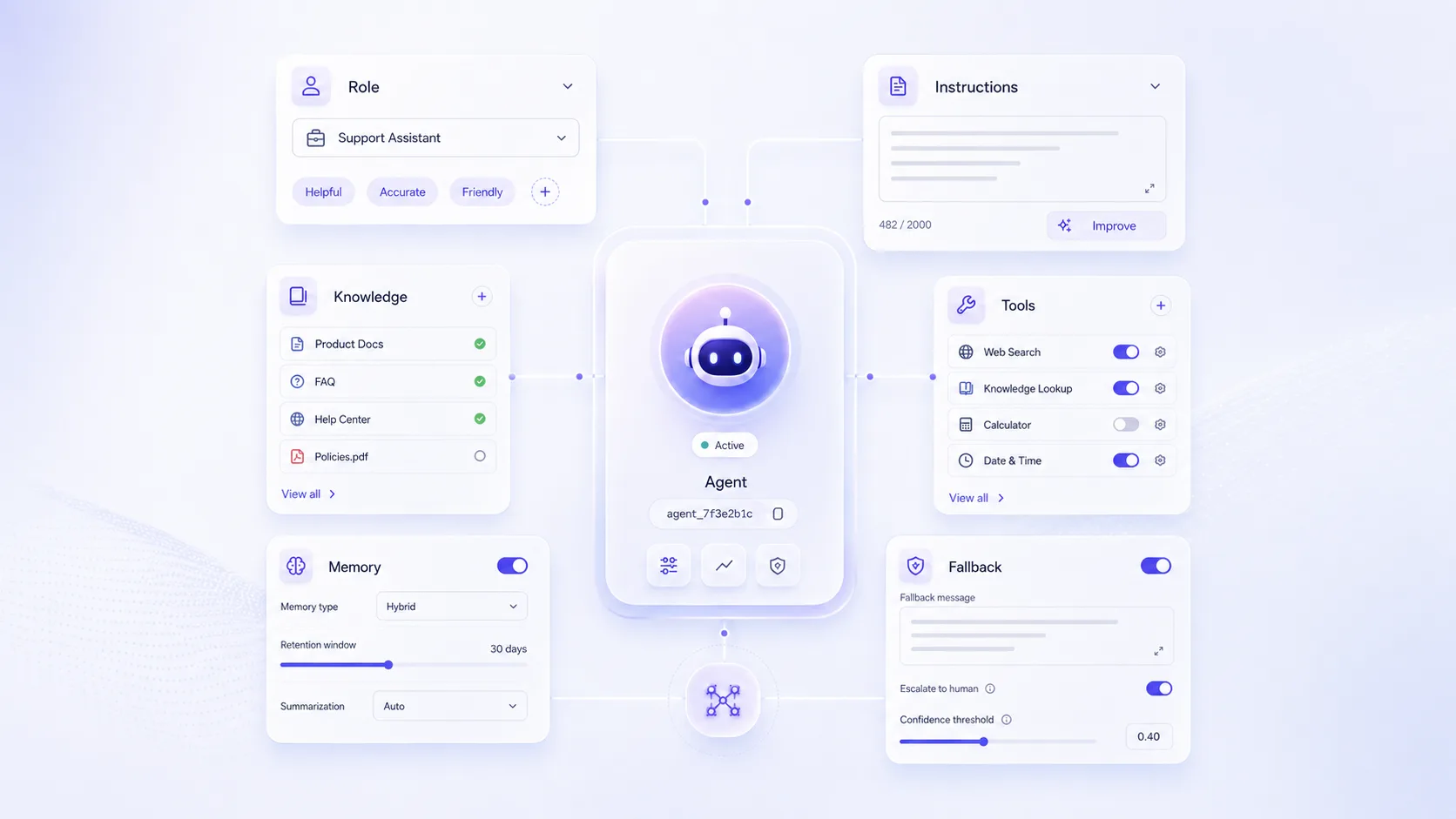
Behavior instructions

Set how each agent should respond, guide, escalate, and stay within boundaries

Role-based setup

Build different agents for different channels and use cases such as sales, support, ecommerce, bookings, claims, and more

Tool access rules

Choose which tools each agent can use for data lookup, actions, and workflows

Knowledge integration

Connect approved business information so answers stay relevant and accurate

Memory control

Define how much previous conversation context should influence the response

Fallback behavior

Define what the agent should do when it is unsure, missing information, or outside scope.

Lead Generation & Qualification

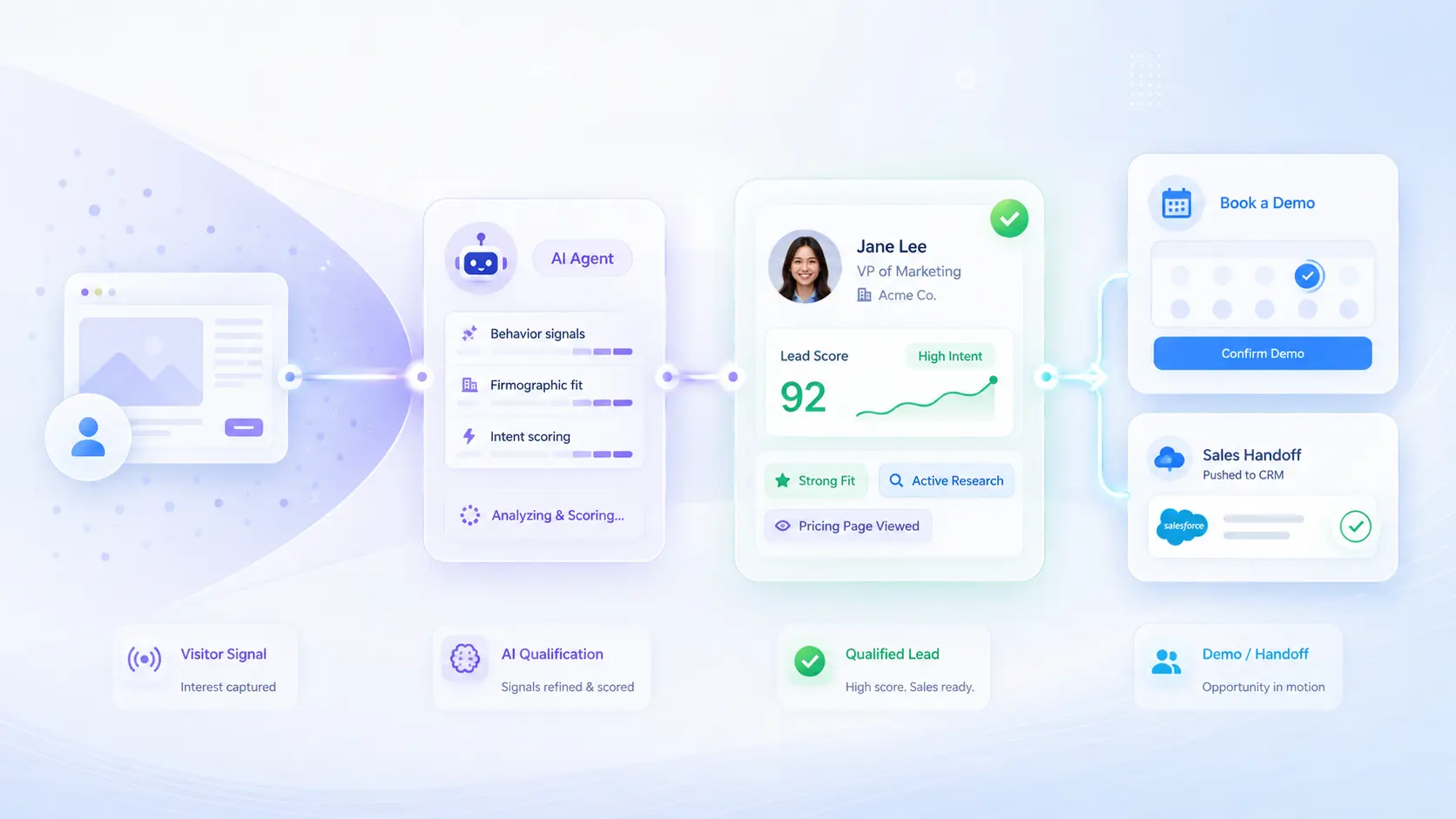
Capture, qualify, and route high-value prospects

Buying signal capture

Identify visitors asking about pricing, plans, demos, comparisons, and such

Requirement discovery

Ask for business needs, team size, use case, channels, timeline, and goals

Fit assessment

Identify which product, plan, service, or sales path the prospect fits the best

Lead enrichment

Collect contact details, company information, role, budget, and decision context

Demo conversion

Move ready prospects toward demos, consultations, callbacks, or sales meetings

Sales-ready handoff

Pass qualified leads to sales with intent, context, and next steps already clear

Conversational Commerce

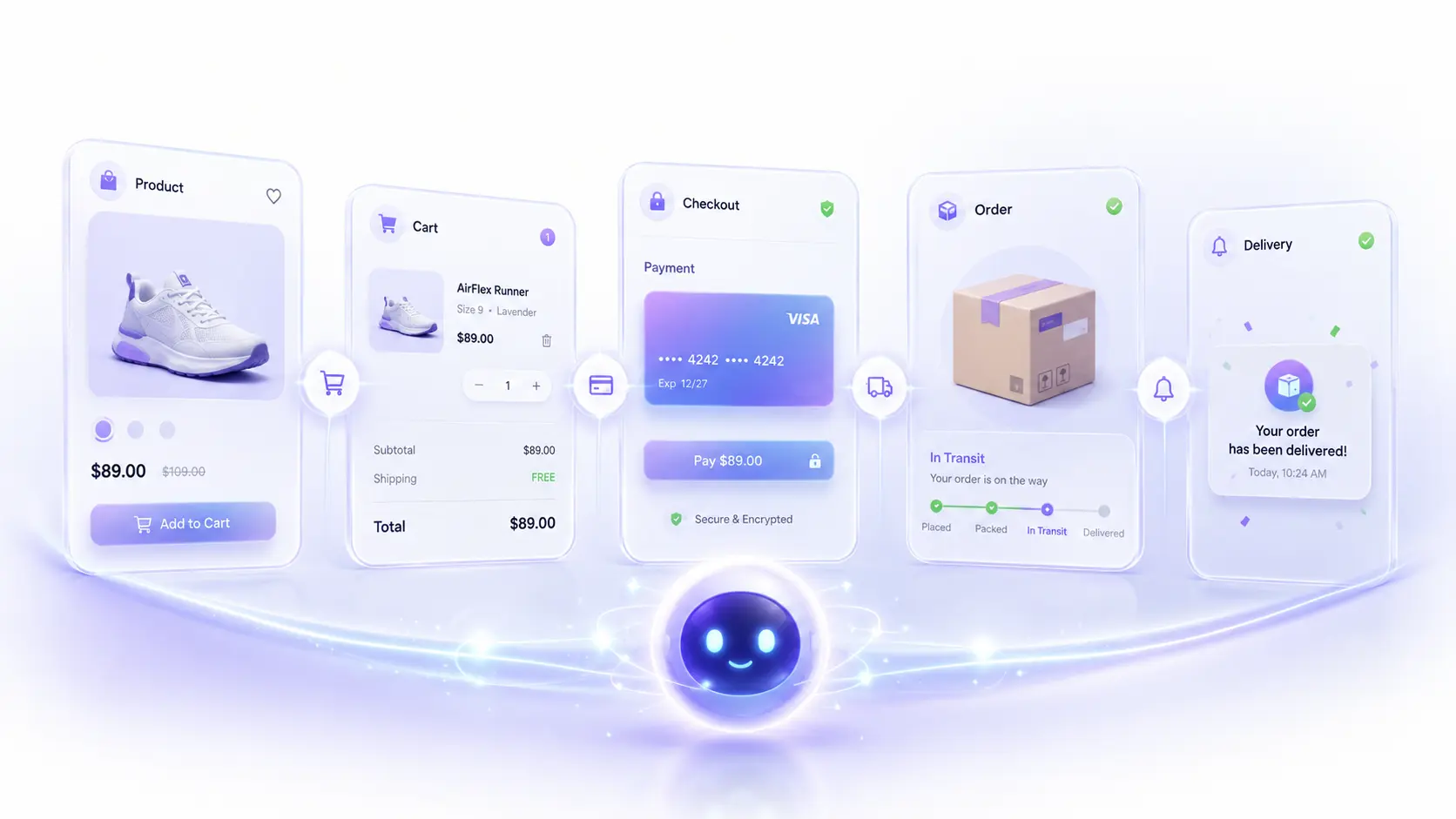
Help customers choose, buy, and complete orders

Product discovery

Guide shoppers toward relevant products based on interest, preferences, and buying needs

Product comparison

Help customers compare items, prices, variants, and offers

Availability checks

Check stock, size, color, delivery options, or product availability

Cart and checkout support

Recover abandoned carts, apply offers, start checkout, share payment links, or trigger purchase actions

Order management

Help customers place orders, modify order details, cancel requests, reorder items, or check purchase history

Post-purchase updates

Send order status, delivery updates, return details, refund information, exchange updates, and proactive notifications

Support Resolution

Take care of common issues before they slow your team down

Knowledge-based answers

Accurately resolve common questions using company and product information

Issue classification

Identify billing, technical, delivery, account, claim, or service-related requests accurately

Structured intake

Collect the right details before creating a ticket or involving your support staff

Status retrieval

Pull order, ticket, claim, shipment, booking, payment, or application status

Ticket management

Create, update, or manage tickets efficiently and route tickets to the right teams

Escalation prep

Summarize the issue so your team can continue with full context

System Integrations

Work with the tools your business already uses

Knowledge training

Set up knowledge bases with company information, product details, and the like to empower your AI Agent for accurate responses

Store actions

Connect your store with an AI Agent and retrieve product information and manage order-related actions

CRM and helpdesk actions

Create leads, update records, create tickets, or route cases in a seamless manner

Custom business tools

Integrate your internal system and sheets using APIs and custom actions, creating a fully automated system

Human Handover

Bring in your team when a personal touch matters

Smart escalation

Detect and route urgent, sensitive, complex, or high-value requests to a agent

Context sharing

Pass the customer’s details and previous interaction history to the agent

Department routing

Send requests to the right team, such as sales and support for urgent or advanced workflows

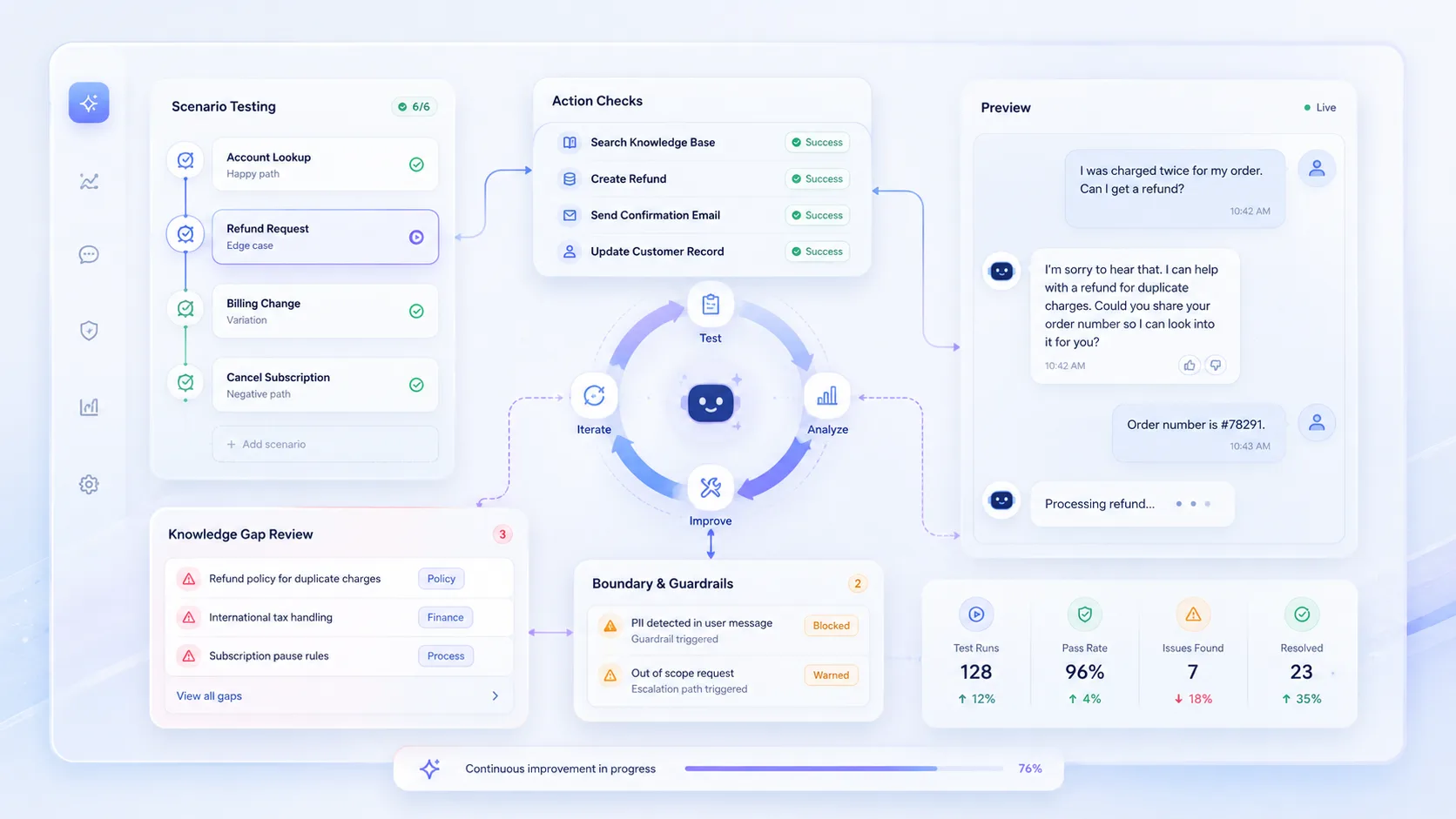
Testing & Optimization
Test, review, and improve your AI Agent before customers rely on it

Preview chat

Test the agent before it goes live by conversing with it

Scenario testing

Try FAQs, product questions, pricing queries, support issues, order tracking, and more to check efficiency of the agent

Integration Validation

Confirm and monitor whether the AI agent is using tools, APIs, routing, and handover steps correctly

Response Optimization

Identify and address missing information, unclear instructions, or weak answers by providing more info or optimizing agent prompt

Out-of-scope handling

Check what happens when customers ask something the agent should not handle

Regression Testing

Review performance regularly and improve the agent as business needs change

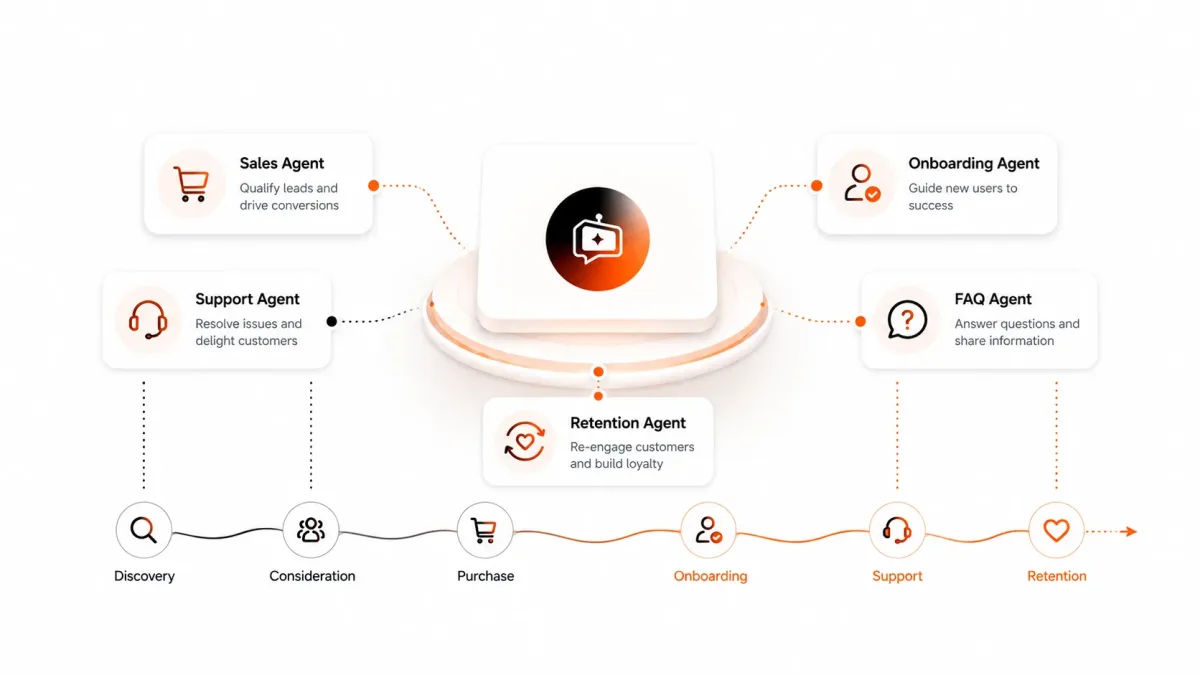
One AI Agent platform for many customer journeys

REVE Chat helps you create different AI Agents for different business workflows across sales, support, ecommerce, bookings, and service requests,
all from one platform, with each agent shaped around a clear goal.

Chat Widget Image

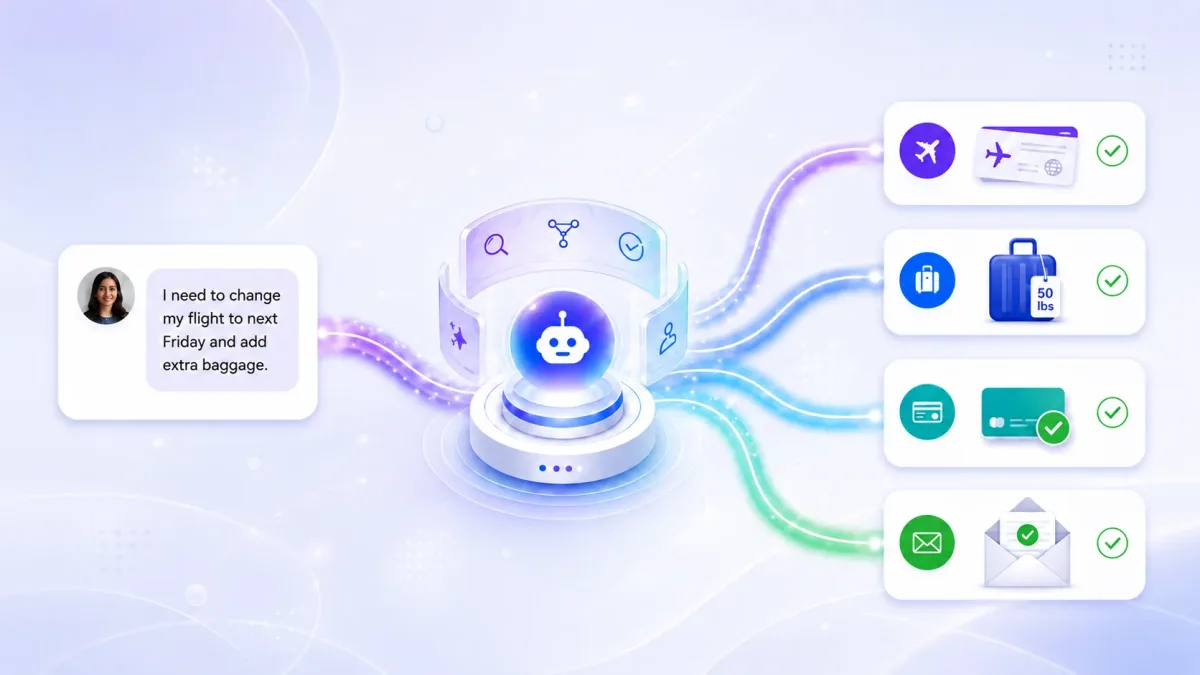
Built to support real customer actions

Customer engagement should not stop at answering questions. With the right setup, AI Agents can help customers qualify for sales,
find products, check orders, create support requests, book meetings, and reach the right team faster

Ecommerce Live Chat Image

Integrate AI Agents with the tools your business already uses

Connect REVE Chat AI Agents with your knowledge base, ecommerce platform, CRM, helpdesk, spreadsheets, APIs, and internal systems. Give agents access to the right data and actions so they can answer accurately, retrieve information, update records, and move customers to the next step faster.

Integration

Frequently asked questions

A REVE Chat AI Agent is an AI-powered assistant that can understand customer intent, use business knowledge, connect with tools, and help customers complete tasks across sales, support, ecommerce, and service journeys.

A chatbot usually follows fixed flows or answers predefined questions. An AI Agent can understand context, make decisions, use tools, trigger workflows, and hand over to a human agent when needed.

You can use AI Agents for lead capture, lead qualification, ecommerce support, order tracking, product recommendations, ticket creation, appointment booking, customer support, and human handover.

Yes. You can create agents for different goals, such as sales, support, ecommerce, order tracking, bookings, or service requests, and configure each one with its own role, instructions, knowledge, and tool access.

Yes. You can connect approved business information so the agent can respond with answers that are more relevant to your products, services, policies, and customer processes.
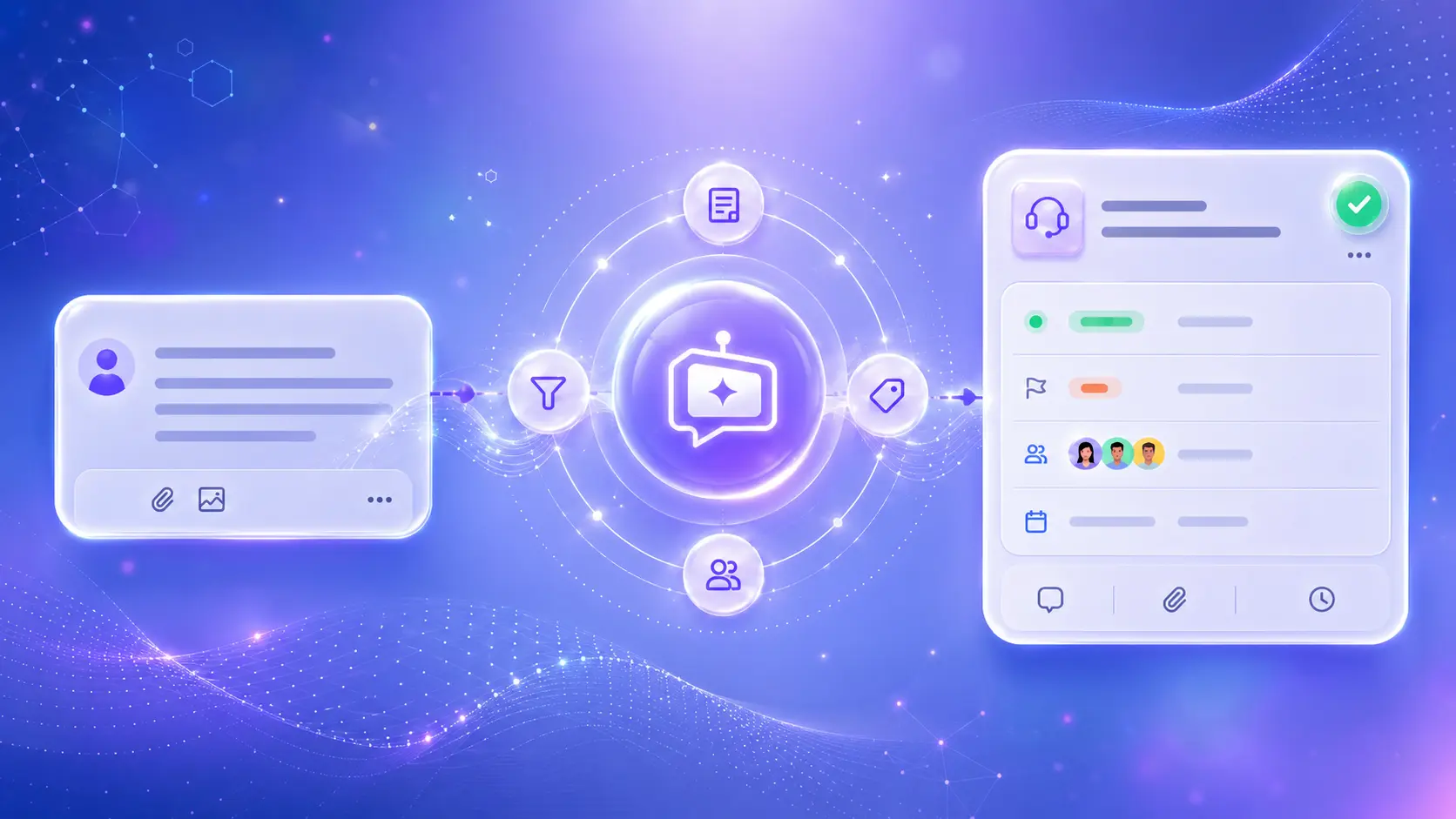
AI Agents can do more than answer questions. Depending on your setup, they can collect details, retrieve information, trigger workflows, create requests, check order status, support checkout, or route customers to the right team.


Yes. AI Agents can work with connected tools such as knowledge bases, APIs, Shopify, Google Sheets, CRM, helpdesk, and other business systems depending on your configuration.

Yes. You can set handover rules so the AI Agent transfers customers to a human agent or department when the request is complex, sensitive, urgent, or needs personal support.

Yes. You can define the agent’s role, instructions, knowledge sources, tool access, memory settings, fallback behavior, and handover rules.

Yes. AI Agents can engage interested visitors, collect contact details, detect buying intent, qualify prospects, and route sales-ready leads to your team.

Yes. AI Agents can guide shoppers, recommend products, compare items, check availability, recover carts, support checkout, manage order-related requests, and share post-purchase updates where connected systems support it.

Yes. You can preview the agent, test common customer scenarios, check how it responds, review actions, and improve the setup before customers use it.

No. The AI Agent needs to be configured with the right knowledge, instructions, tools, and workflows so it can respond accurately and act within your business rules.

You can set up many parts of the AI Agent through configuration, instructions, tools, and workflows. For advanced actions or custom system connections, technical setup may be needed.

Yes, you can create language-specific agents or configure agents for different regions and customer groups depending on your setup.

No. AI Agents are designed to support your team by handling repetitive tasks, collecting information, answering common questions, and routing complex or high-value interactions to humans.

Start with one clear use case, such as lead qualification, order tracking, ecommerce assistance, or support intake. Test it properly, review performance, and then expand into more journeys over time.